
Every scale in Wilsonic starts from the Scale Design menu at the top left. Each design is an interactive implementation of a family of tuning structures, most of them Erv Wilson's, and this chapter walks through all of them in menu order of appearance. Whatever design you are in, the microtonal keyboard and pitch wheel update in real time, and the design's parameters are automatable in your DAW.
Wilson's Garden
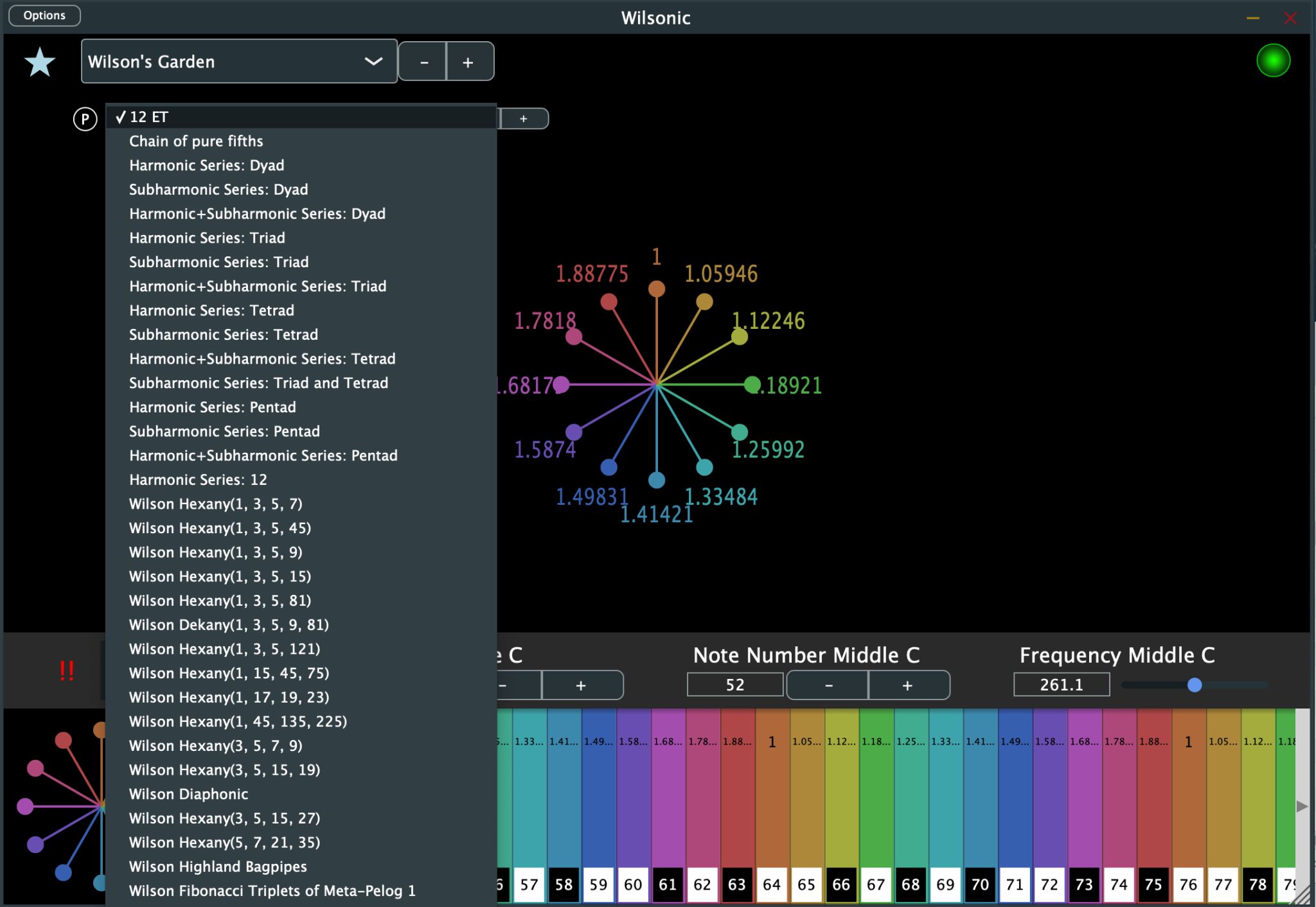
Wilson's Garden is the place to start: a set of curated presets drawn from the work of Erv Wilson and the people around him.
- Select Wilson's Garden from the Scale Design menu.
- Select a scale from the Curated Presets menu.
The curated scales come from Erv Wilson, Kraig Grady, Stephen James Taylor, Jose Garcia, Gary David, and me, plus a set of elementary, archetypal scales. Once you have walked the garden, be sure to also explore the Scala archives, which bundle over five thousand scales.
Moments of Symmetry
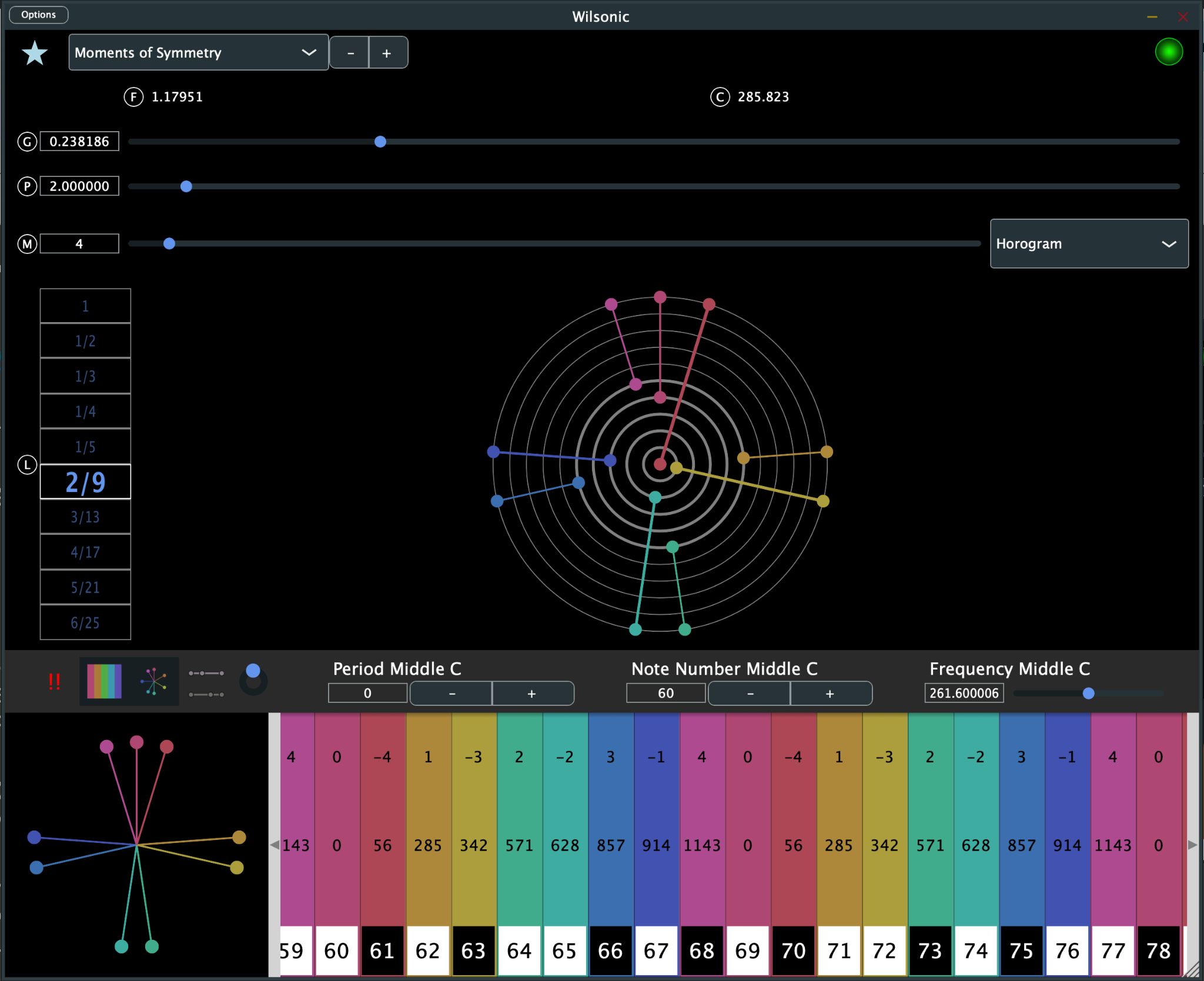
Moments of Symmetry (MOS) is Erv Wilson's best-known idea: stack one interval (the generator) inside a repeating period, and certain counts of tones form well-formed scales. His original papers are at Anaphoria.
- Select Moments of Symmetry from the Scale Design menu.
- Set the Generator with the slider. Units are pitch space, the log-base-period of frequency, so 0 is middle C and 1 is C one period higher. A generator of 0.58333 = 7/12 gives 12-tone equal temperament when the period is 2. The F label shows the generator as a frequency ratio and the C label shows it in cents.
- Set the Period with its slider. Units are frequency; the default is 2, the octave.
- Set the Murchana with its slider — a murchana is a mode, or rotation, of the scale.
- Select the Level by click-dragging over the level box. Each level is a moment of symmetry along the generator chain.
There are four drawing modes: Cartesian, Horogram, Horogram Inverse, and Gral, the continuum of generalized keyboards.
The Gral keyboard
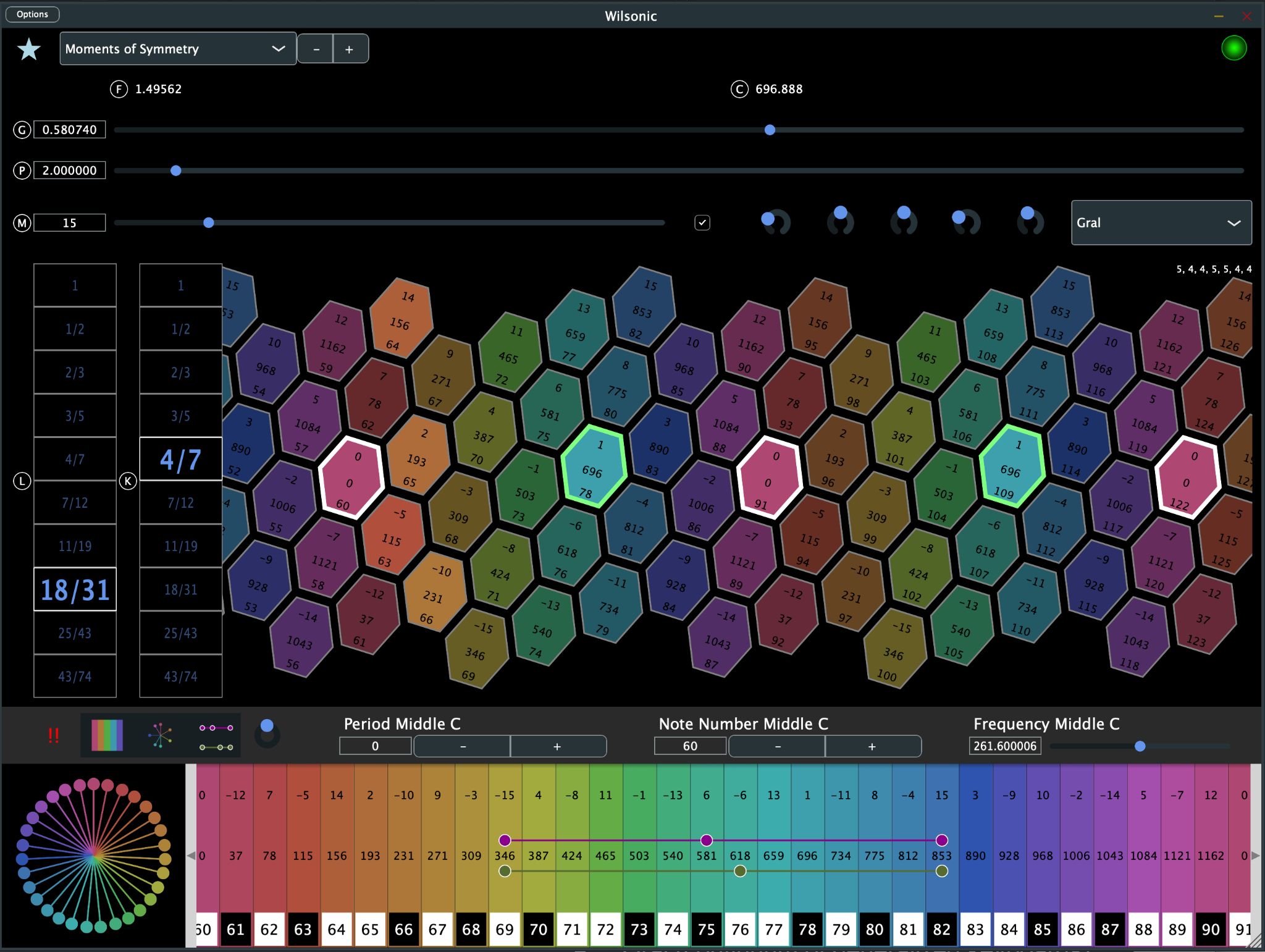
Select Gral from the display-mode popup and the MOS becomes a playable generalized keyboard of hexagonal tiles, each labeled with scale degree, frequency, and MIDI note number. It supports touch devices, so you can play it directly.
- A secondary level box appears: this is the keyboard mapping, and its denominator is the number of columns in an octave. The 4/7 layout of the 18/31 MOS is a good example.
- The toggle sets the murchana to 0 at the center of the chain, and it is automatable.
- The five knobs are zoom, rotation (leave at 0 and Wilsonic optimizes for horizontal layout), shear (use it to make the columns vertical), and the left-right and up-down positions of the keyboard.
Persian-17 North Indian Raga Scales
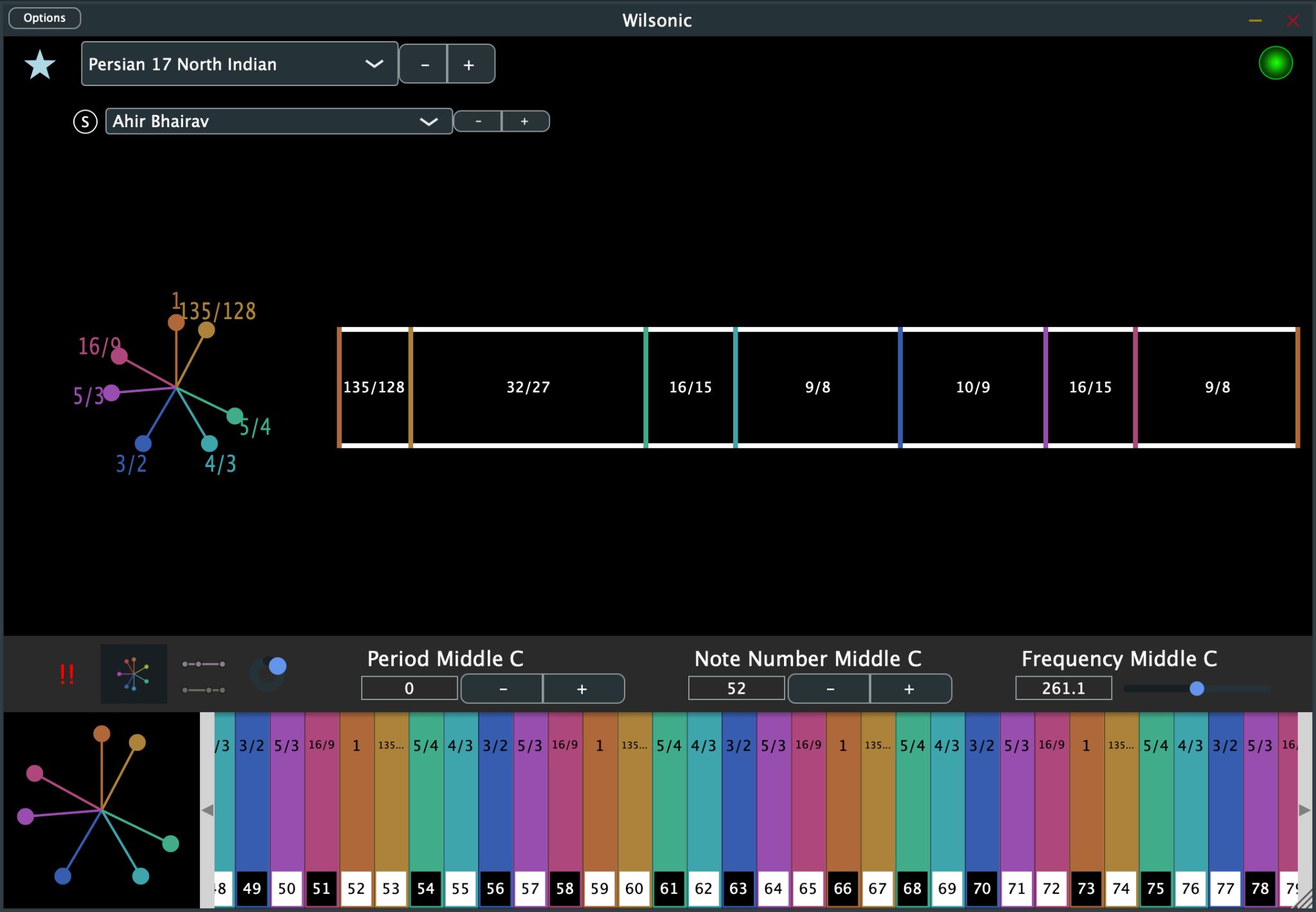
This design implements Erv Wilson's "17-Persian Version with North Indian Raga Scales."
- Select Persian 17 North Indian from the Scale Design menu.
- Select the variant from the scale menu.
Combination Product Sets
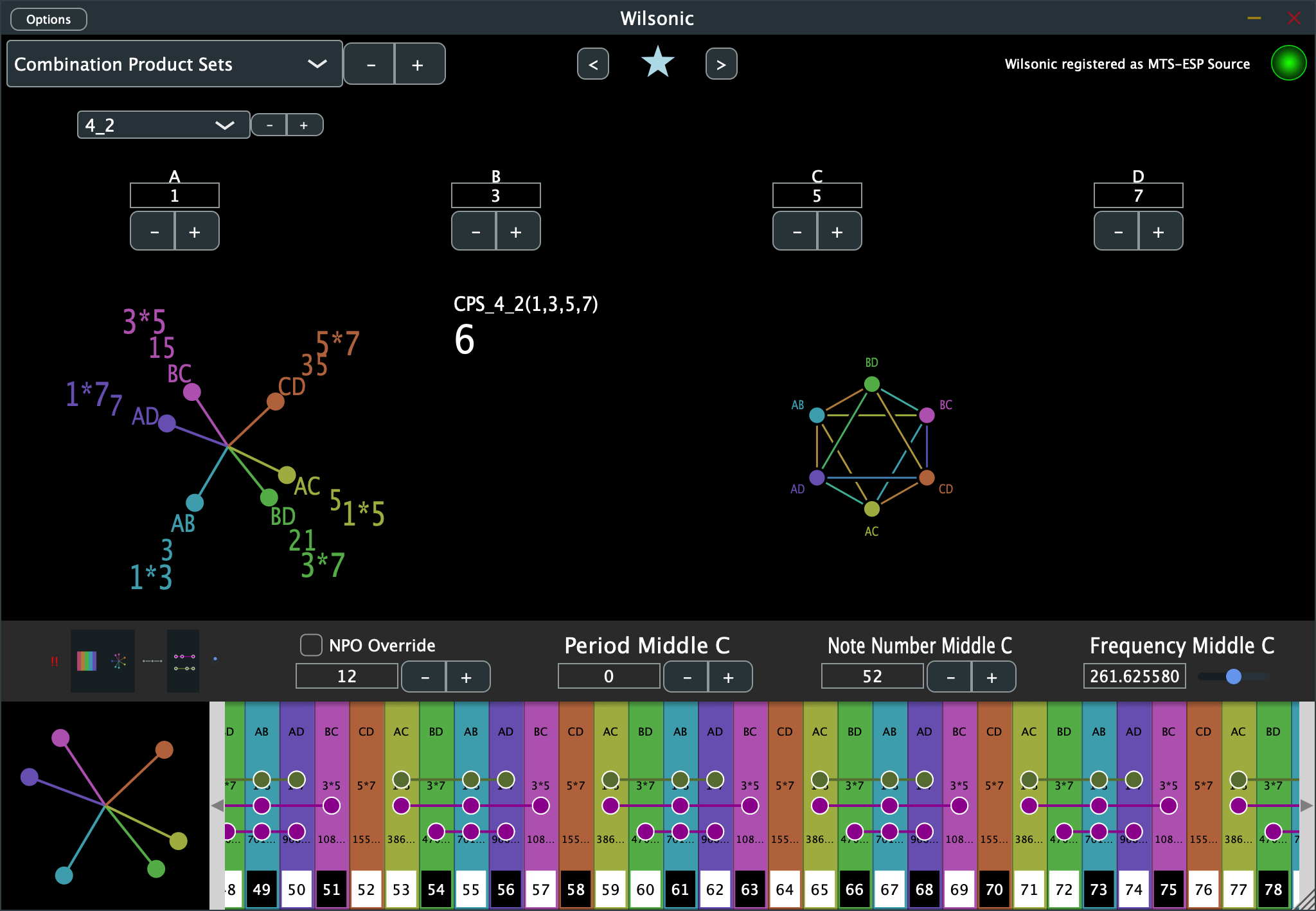
A Combination Product Set (CPS) takes a master set of harmonics and builds a scale from the products of its combinations. These structures are among Wilson's deepest work, and Anaphoria's CPS page collects the source papers.
- Select Combination Product Sets from the Scale Design menu.
- Select the CPS from the scale menu. The names read as "n choose k":
- 4_1 = 4 choose 1 = Harmonic Tetrany
- 4_2 = 4 choose 2 = Hexany
- 4_3 = 4 choose 3 = Subharmonic Tetrany
- 6_3 = 6 choose 3 = Eikosany
- Set the seeds (A, B, C, D, …) of the master set.
Euler Genus 6
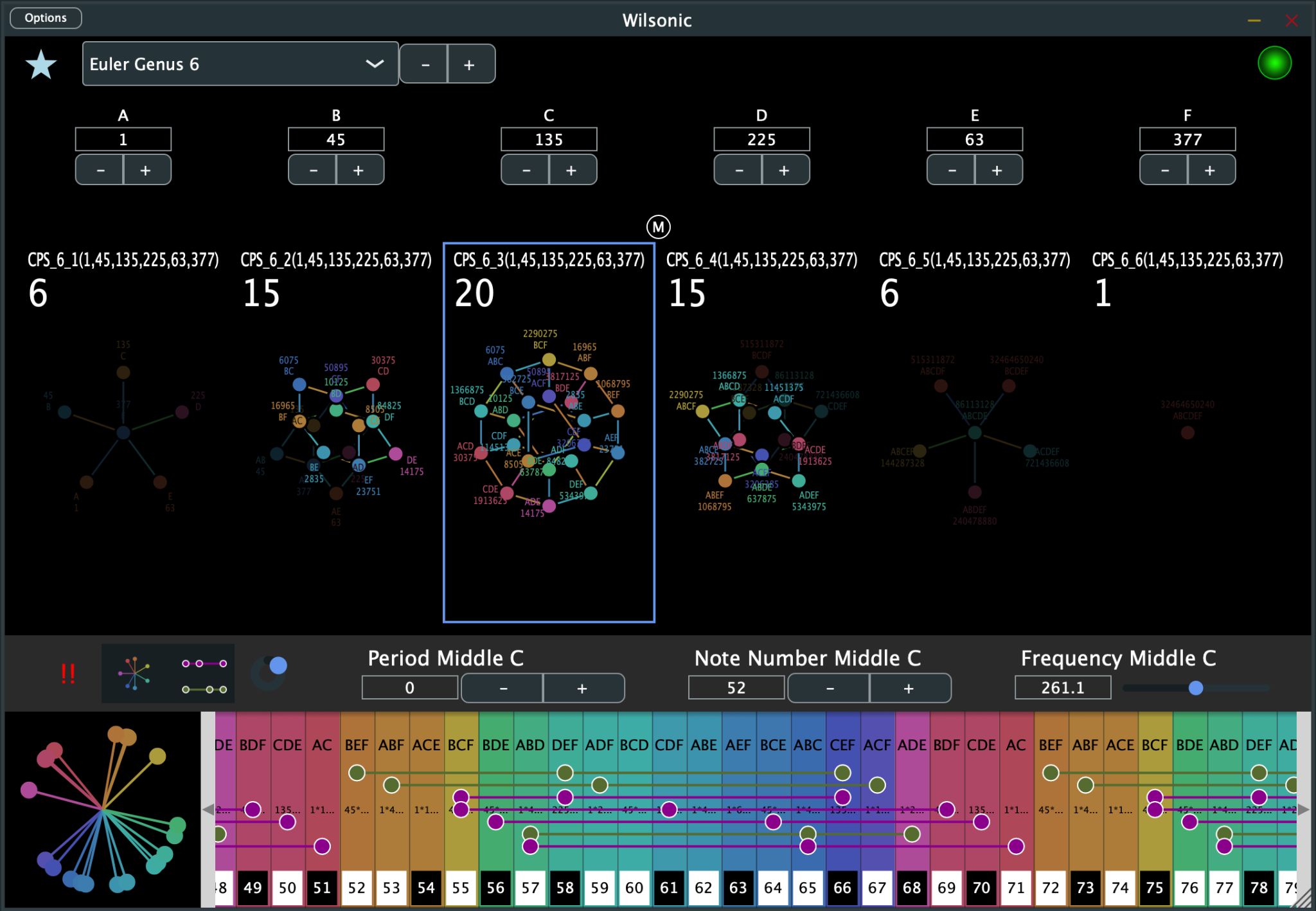
Euler Genus 6 generates the full genus of six seeds and lets you drill into every subset. Wilson's paper is at Anaphoria.
On the main page:
- Seeds can be changed on every page.
- The selected scale is outlined in blue.
- Shift-mouse-hover selects a scale, and cursor left/right steps the selection.
- Ctrl-click drills into the subset page.
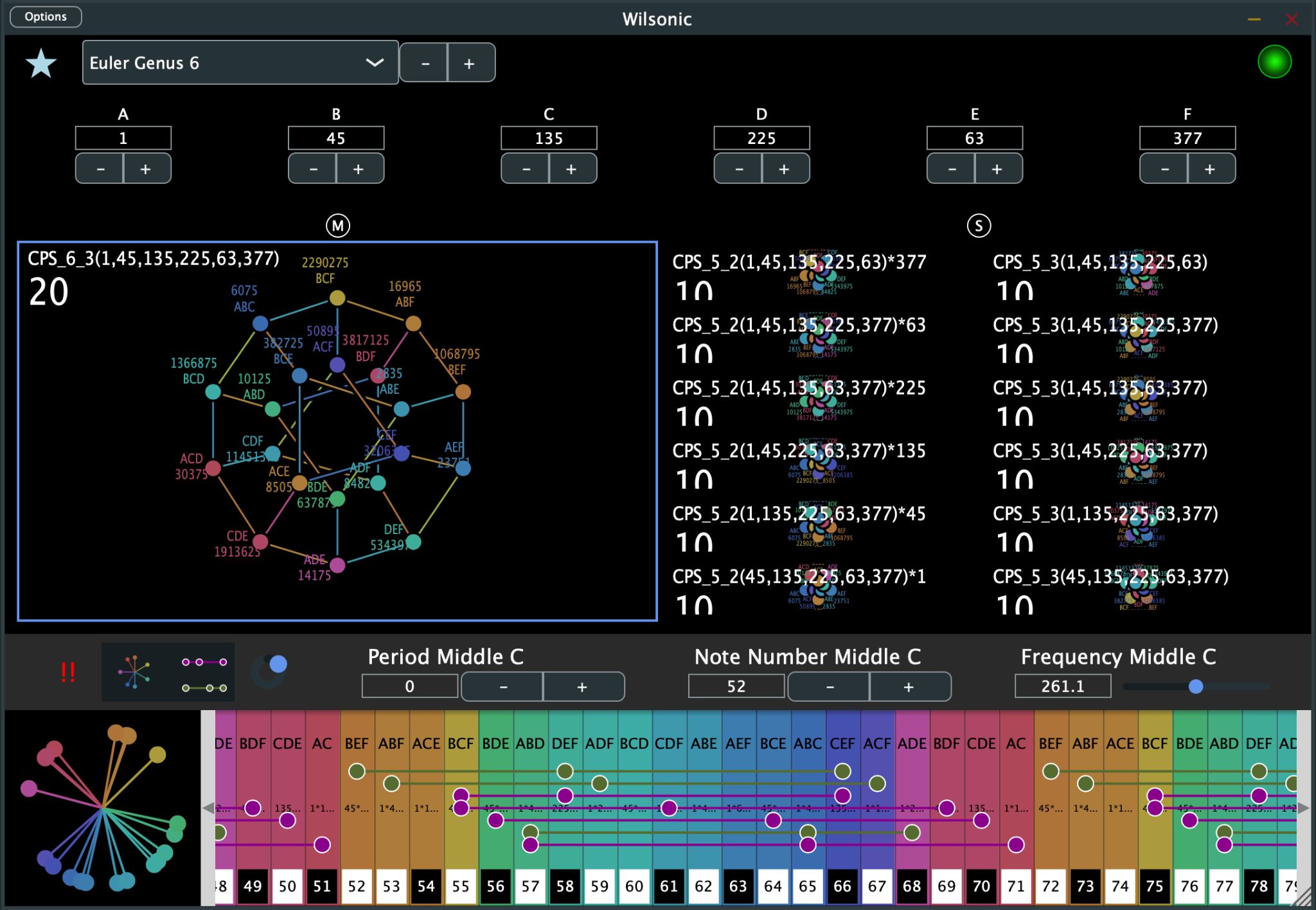
On the subset page the superset is on the left and its subsets are on the right. Ctrl-click navigates down into a subset, command-click navigates up into the superset, and the cursor keys move the selection in all four directions.
The Combination Product Sets and Euler Genus 6 designs implement these canonical papers:
- D'Alessandro, Like a Hurricane, Erv Wilson
- Combination-Product Set Patterns, Kraig Grady, 1986
- The Eikosany Viewed from the Centered Pentad Lattice, Kraig Grady
- The Eikosany Viewed from a Hexany Lattice, Kraig Grady
- Cycle of Hexanies in a Dekany, Kraig Grady, 1998
- Resources of the Eikosany, Kraig Grady, 1985
Recurrence Relations
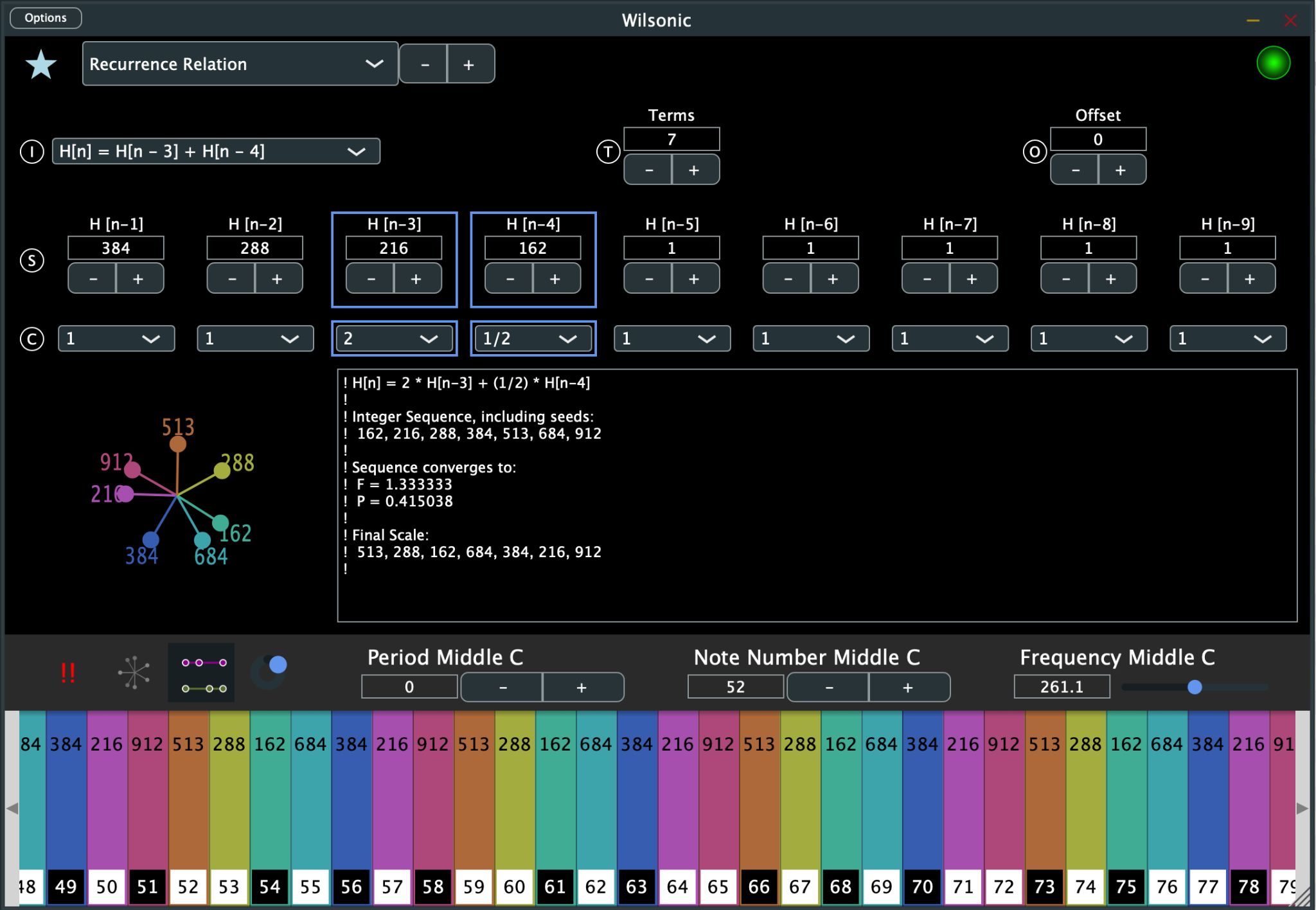
Recurrence relations build additive sequences — the Fibonacci numbers are the most famous — and Wilson explored them as scale generators under the name Meru. His papers are at Anaphoria. Because each term is a sum of earlier terms, these scales optimize for difference tones.
- Select Recurrence Relation from the Scale Design menu.
- Select the terms of the recurrence relation from the dropdown; selected terms are highlighted in blue.
- Select the number of terms to compute, and the offset, which throws away the earliest terms.
- Set your seeds (the initial conditions) and your coefficients for each term.
The final scale is sorted as if octave-reduced, and the period is 2.
Equal Temperament
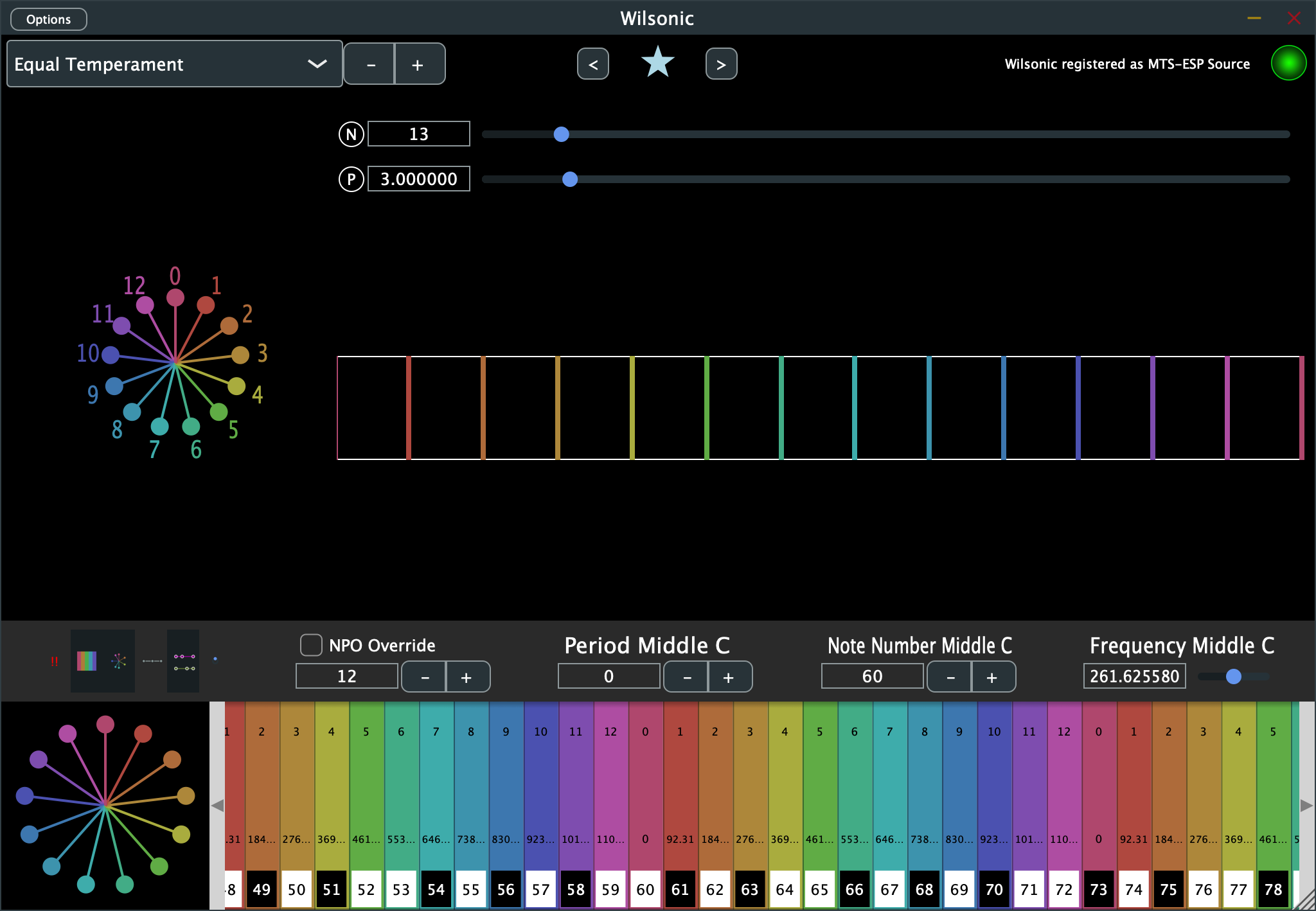
- Select Equal Temperament from the Scale Design menu.
- Select an ET ("EDO") from 1 to 128 notes per octave.
- Select the period. "Octave" is a period of 2, and other periods give you equal divisions of any interval.
Tritriadic
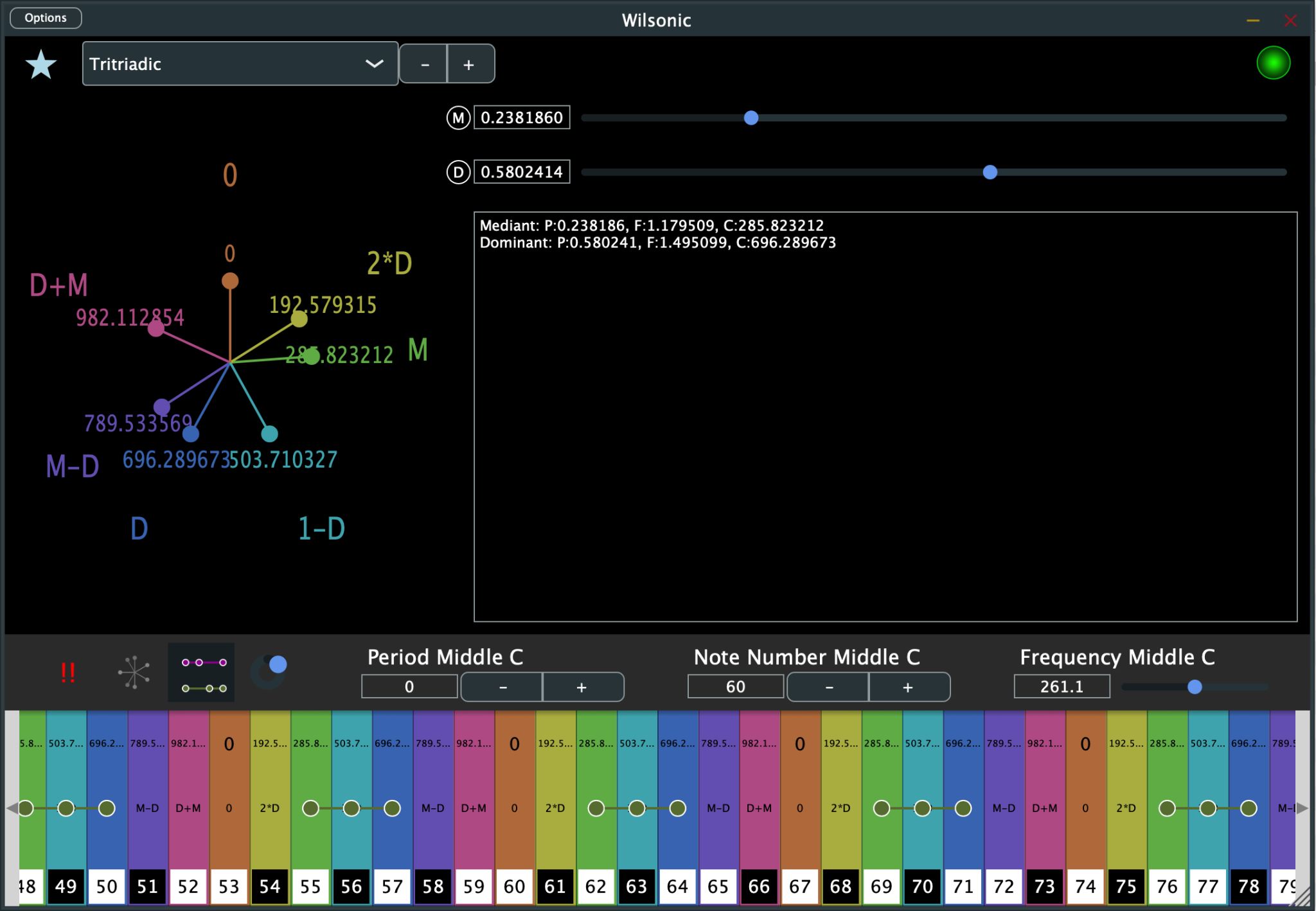
Tritriadic scales are John Chalmers's design: three triads — subdominant, tonic, dominant — built from a tonic, mediant, and dominant interval, with the major scale as the template.
- Select Tritriadic from the Scale Design menu.
- Select the Mediant with its slider.
- Select the Dominant with its slider.
John wrote this description for Wilsonic:
Tritriadics are very simple and are based on the major scale as a template. They are defined as three triads composed of a tonic, mediant and dominant interval. Let us set the tonic to 0 [in cents], then the basic triad has the form 0, M, D. By adding a subdominant triad 1200−D, M−D, 1200 and a dominant triad D, D+M, 2D, one gets an octave-spanning scale. In JI, take any triad such as 4:5:6 and write it as 1/1 5/4 3/2. The subdominant is the octave-adjusted triad obtained by dividing by D, or more conveniently 4/3 5/3 2/1, and the dominant triad is the tonic multiplied by the dominant interval, which yields 3/2, 15/8 and 9/8 — together, in ascending order, 1/1 9/8 5/4 4/3 5/3 15/8 2/1. Any triad may be used — 4:5:6, 4:5:7, or even irrational numbers.
— John Chalmers, May 4, 2022
See Xenharmonikon for more details.
Scala
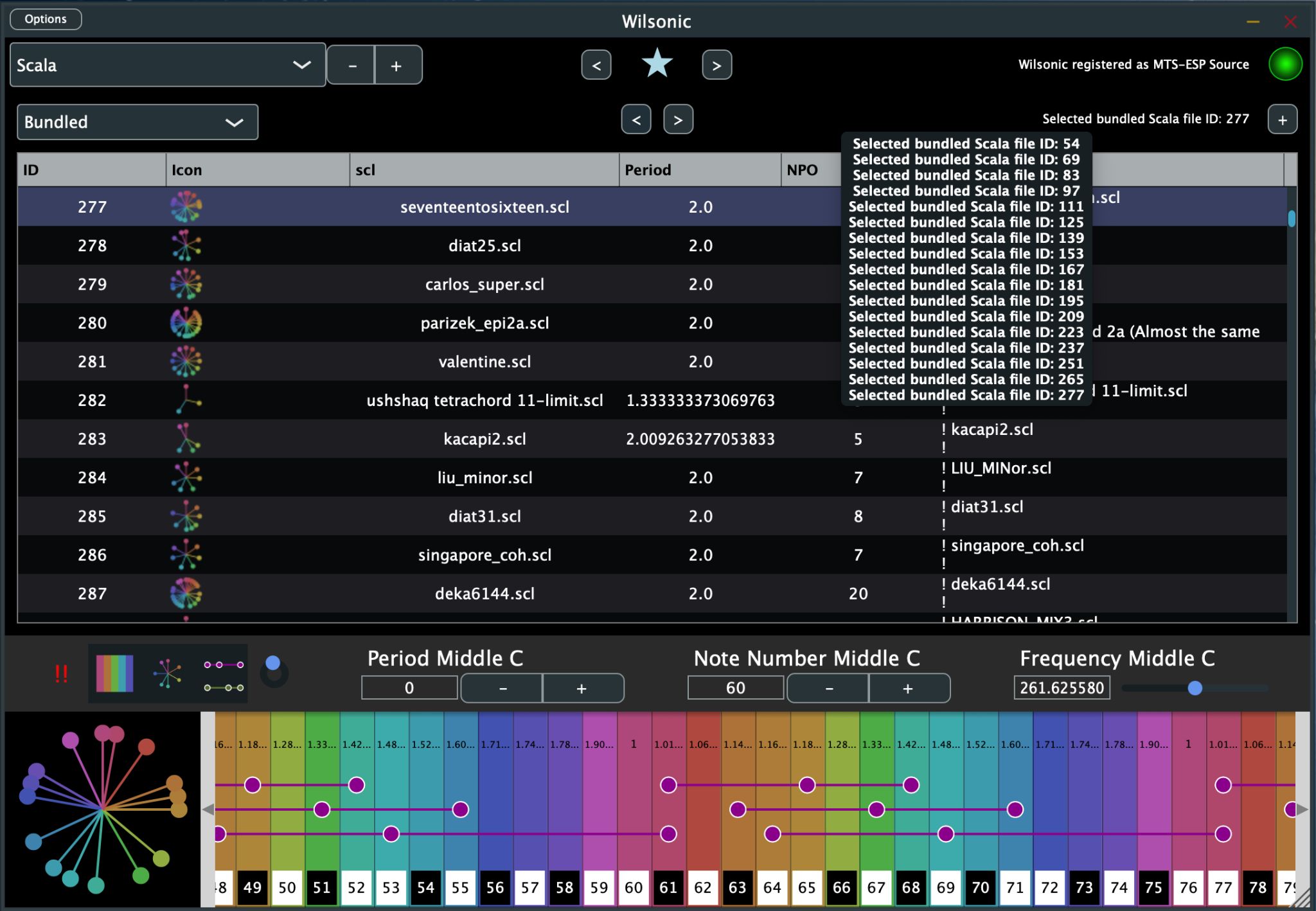
Wilsonic bundles the Huygens-Fokker Scala archive — more than 5,100 .scl files, read-only, with a shoutout to Manuel op de Coul — and supports your own files alongside it. Non-octave tunings are fully supported.
- Select Scala from the Scale Design menu.
- Select Bundled or User.
- Highlight a row and hit return to tune up the microtonal keyboard.
- Mouse-hover over a row to see the contents of the Scala file.
When User is selected you can import and delete your own .scl files: drag and drop files into the window, or click + for a file browser, and select-backspace to delete. User/Bundled and the file IDs are automatable, and you can save Scala files as Favorites.
CoPrime Grid
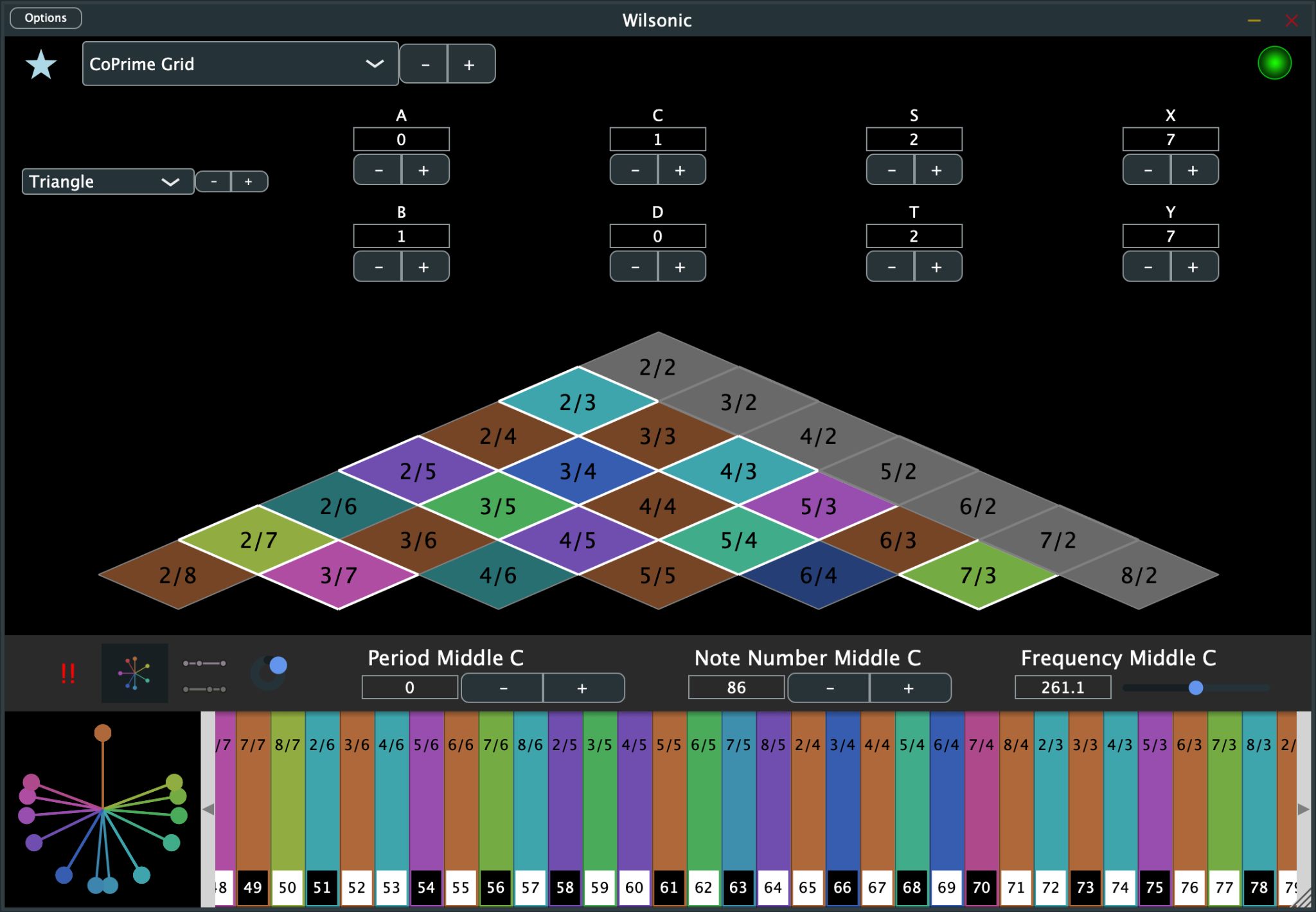
The CoPrime Grid is one of Erv Wilson's most remarkable late designs; see his papers, the 20-seed grid, and Kraig Grady's Anaphoria pages for its construction and properties.
- Select CoPrime Grid from the Scale Design menu.
- Select Harmonic, Triangle, or Subharmonic — the same tones in different layouts.
- Reseed the grid by modifying A, B, C, D; offset with S and T; and expand or reduce the number of terms with X and Y.
On touchscreens you can play the geometry itself as a keyboard, and it is best played on a two-dimensional controller such as the Linnstrument. If a note is greyed out there is no MIDI note assigned to it; use Note Number Middle C to shift the root until the notes you want are in range.
Diamonds
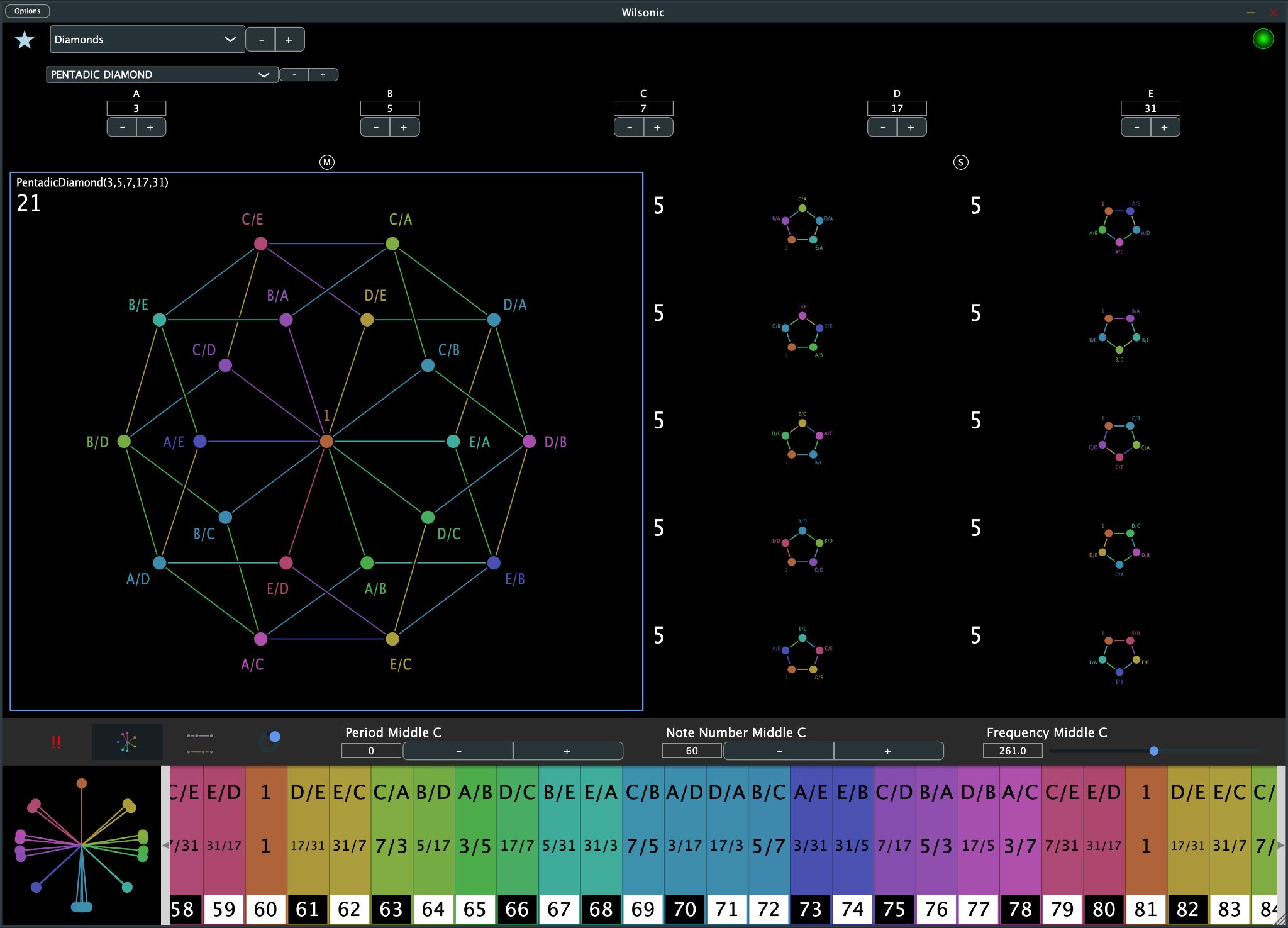
Diamonds are reciprocal cross-sets: scales built by crossing a master set against its own reciprocals. Wilson's diamond papers are at Anaphoria.
- Select Diamonds from the Scale Design menu.
- Select a Diamond or one of its harmonic/subharmonic subsets, from Triadic seeds (A, B, C) up to Ogdoadic seeds (A through H).
- Set the seeds of the master set.
The selected scale is outlined in blue; shift-mouse-hover selects, and cursor left/right steps the selection. There is also a video demo of Diamonds.
A reciprocal cross-set is simple to state: rows are the harmonic series of the master set, and columns are the subharmonic series, so row 0 is the harmonic series divided by A, column 0 is the subharmonic series multiplied by A, and the diagonal is 1/1. For the Triadic case:
| 1/1 | B/A | C/A |
| A/B | 1/1 | C/B |
| A/C | B/C | 1/1 |
The same construction extends to Tetradic, Pentadic, and on up to the Ogdoadic diamond's eight seeds.
Morph
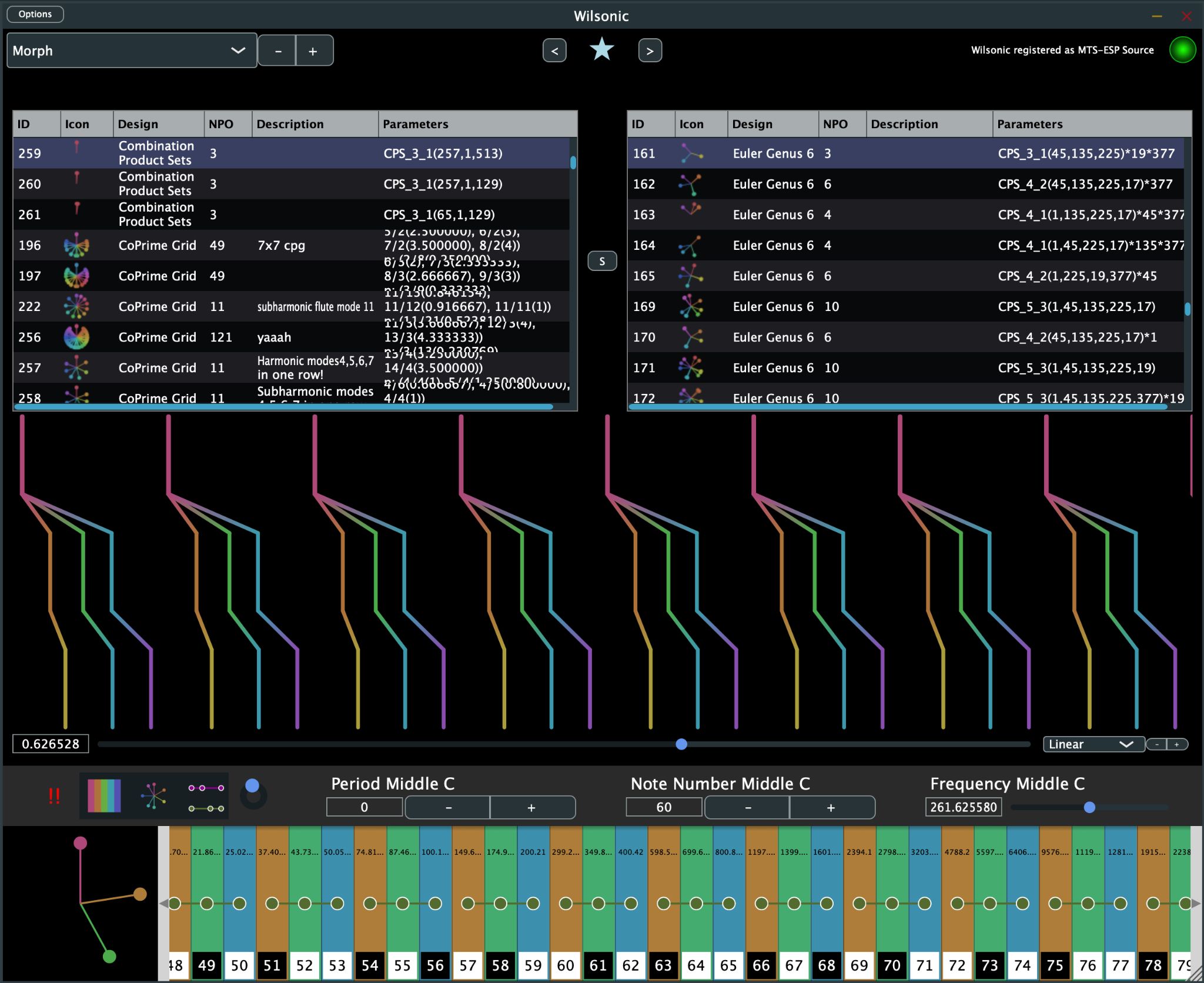
Morph interpolates between two saved Favorites, which makes scale changes performable and automatable.
- Select Morph from the Scale Design menu.
- The left panel of Favorites is A, the right panel is B, and S swaps them.
- The top box shows A, the bottom box shows B, and the middle box is the morph of the two.
- The interpolation slider moves between A and B, with a choice of Linear or Pitch interpolation.
ID A, ID B, the interpolation amount, and the interpolation type are all automatable in your DAW. The pitch wheel and microtonal keyboard reflect the state of the morph, including proportional-triad highlighting. You can even save a Morph as a Favorite — though you cannot morph between two Morphs.
Partch
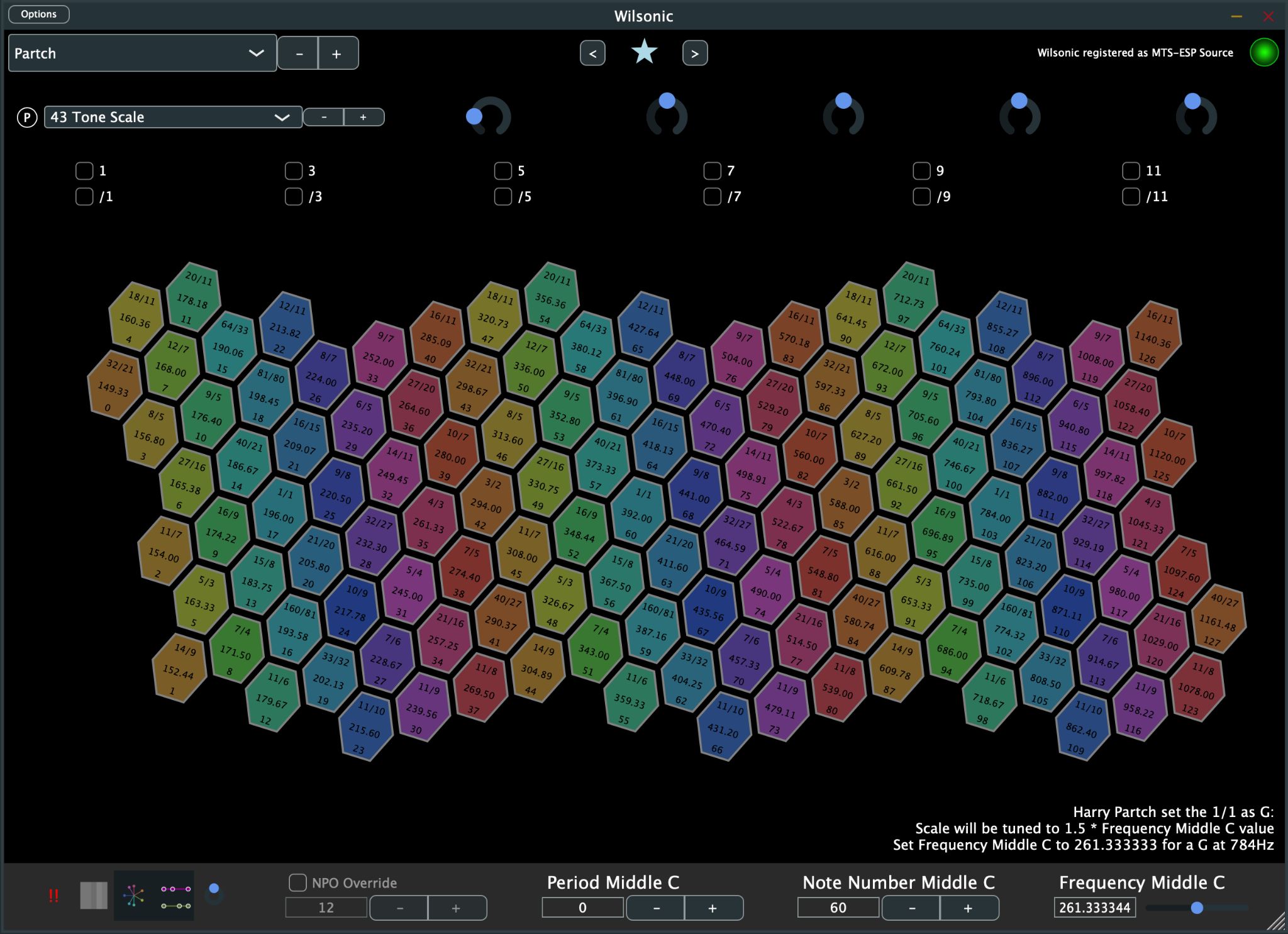
This design presents Harry Partch's 43-tone scale and his instrument mappings.
- Select Partch from the Scale Design menu.
- Select 43 Tone Scale.
Knobs control scale, rotation, shear, and X/Y translation of the layout, and toggles highlight the Otonalities and Utonalities. Each hexagon carries three labels: ratio, frequency, and MIDI note number. You can play the scale with the mouse or by touch.
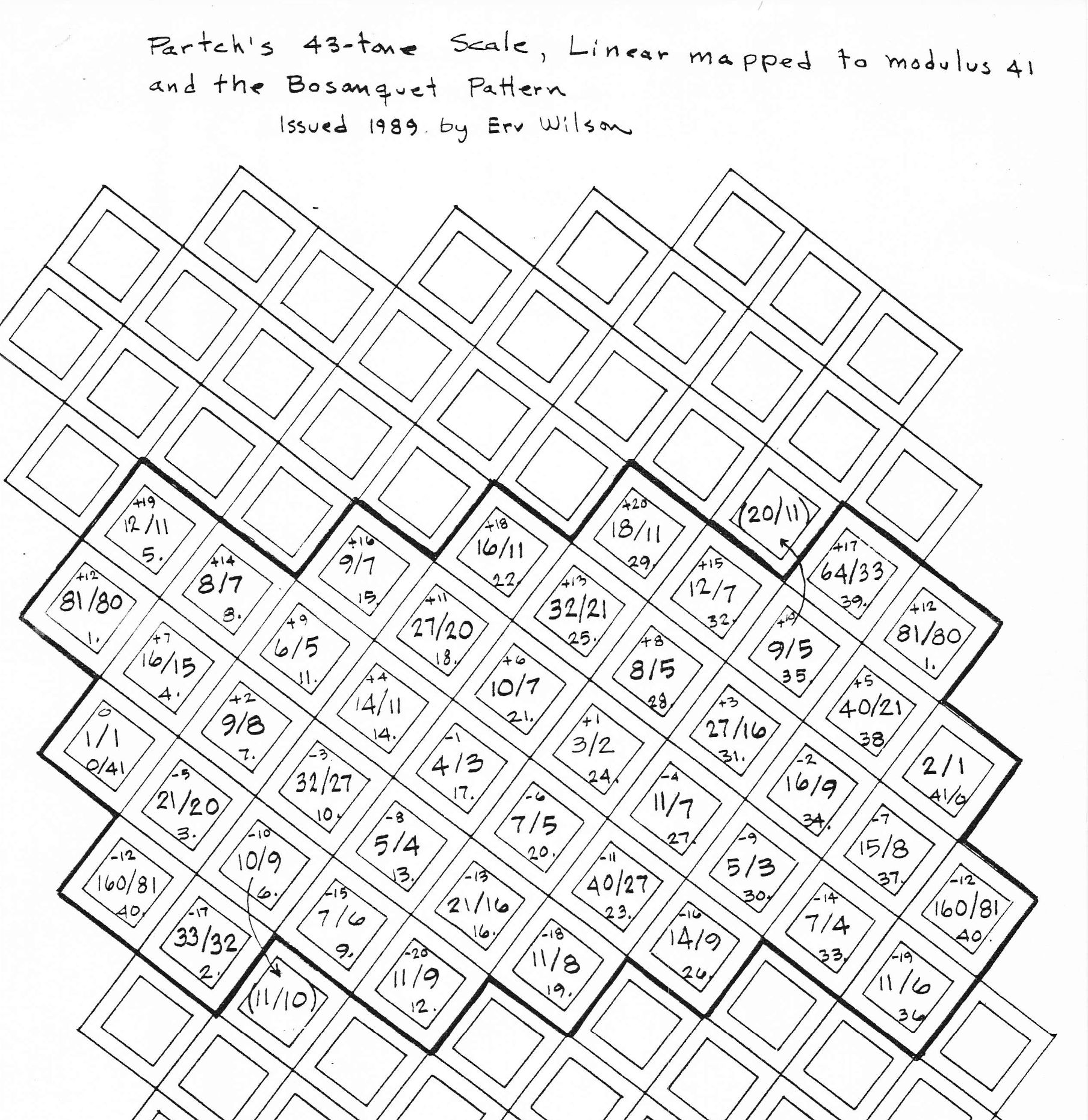
The hexagonal layout is Erv Wilson's own figure for the Partch 43-tone scale, mapped to a Gral keyboard by Stephen James Taylor.
Diamond Marimba: 43 Mapping
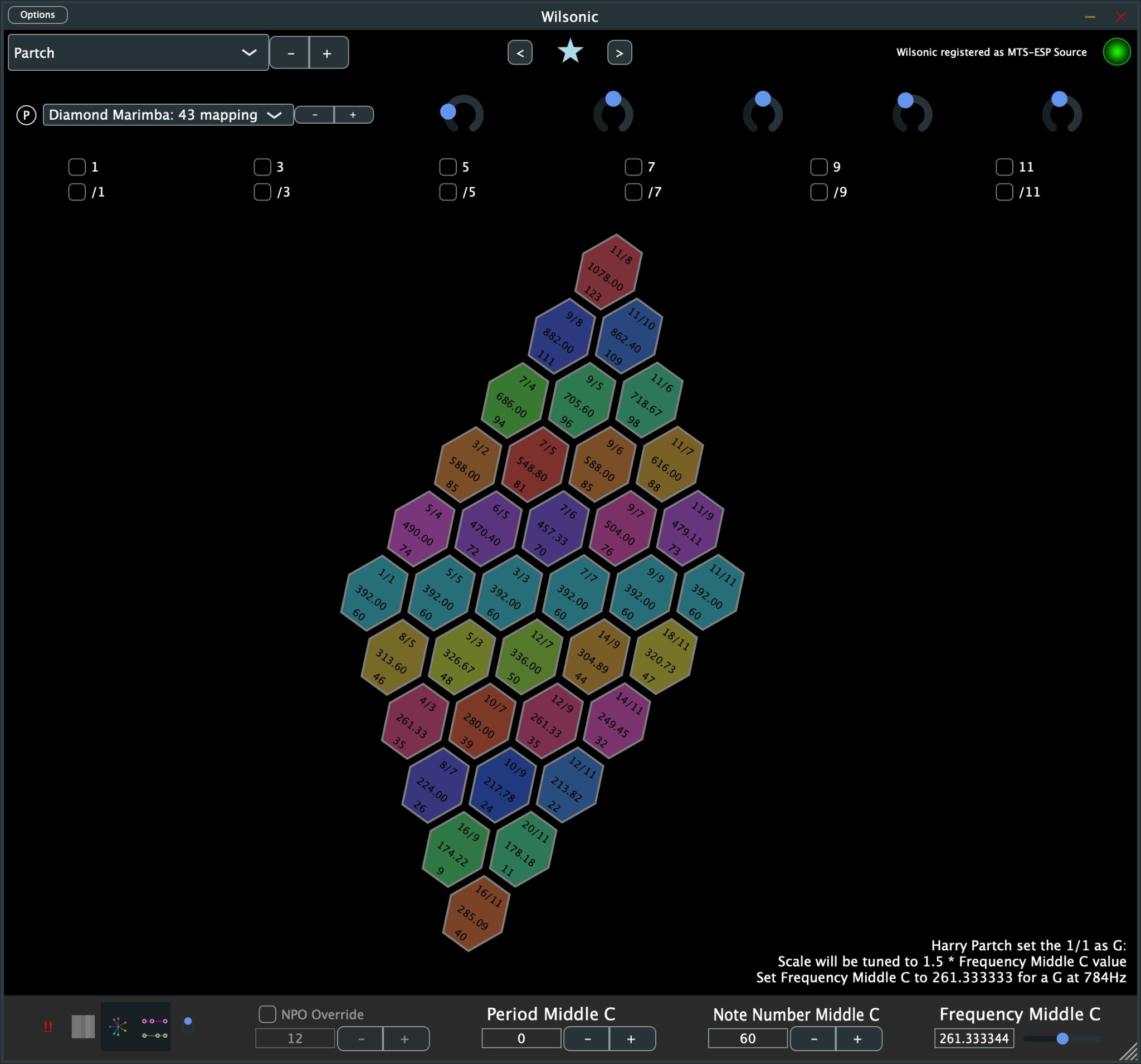
This version of the Diamond Marimba plays a subset of the Partch 43 scale using the same MIDI mapping as the 43-tone scale, so you can mix and match MIDI recordings between the two.
Diamond Marimba
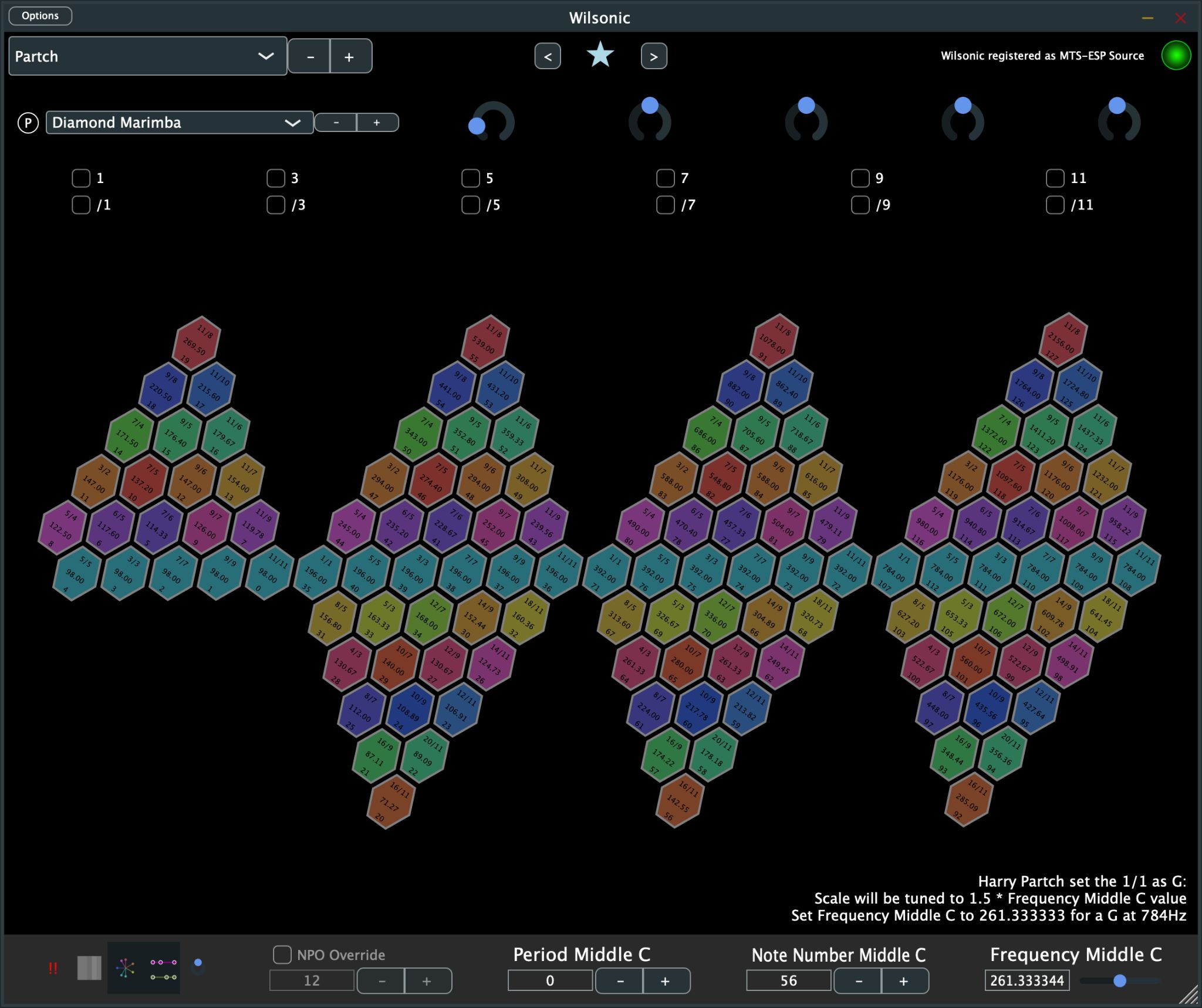
This version fits more than three Diamond Marimbas across the 128 MIDI note numbers.
Quadrangularis Reversum
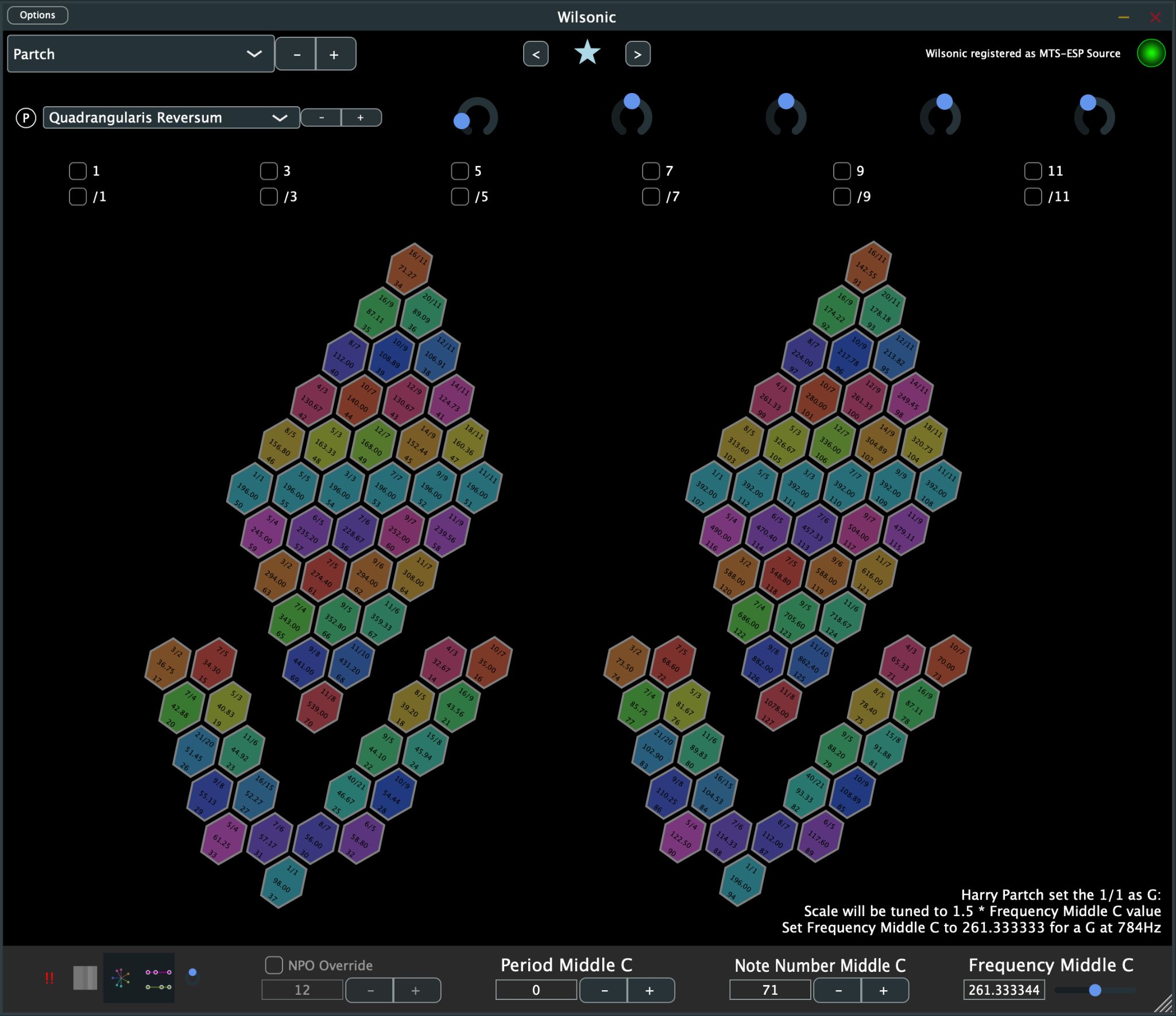
Partch's Quadrangularis Reversum, with two-plus instruments mapped across the 128 MIDI note numbers.